
Time? There never seems to be enough time in the day. But how much do we waste because time isn't managed well. Personally, I am always on time, even early. It was just how I was raised. I didn't even know that being late was an option. If I want to take myself to level "nerd", I was never late for a class, in jr high, high school or college.
Having a Handmade Biz, lil' alice is a one chick show & I like it that way. But that means I am doing everything & I like that too. But I also have a job outside of the home & I have a family to tend to. In order to accomplish all the things I need to do in a day, I need to manage my time & make great use of it.
One way that I do that is by scheduling my posts on my FB fan page. Did you know this could be done? So when you see my posts every hour on the hour, don't judge me & think that all I am doing is waiting for the hour to arrive so I can post another post.
They are scheduled.
You can save time too & I am going to show you how through screen shots. (My husband would be so proud that I took screen shots.) I'll be honest, I had to google "how to take a screen shot."
Please share this post on social sites as not many people are aware of this feature!
Having a Handmade Biz, lil' alice is a one chick show & I like it that way. But that means I am doing everything & I like that too. But I also have a job outside of the home & I have a family to tend to. In order to accomplish all the things I need to do in a day, I need to manage my time & make great use of it.
One way that I do that is by scheduling my posts on my FB fan page. Did you know this could be done? So when you see my posts every hour on the hour, don't judge me & think that all I am doing is waiting for the hour to arrive so I can post another post.
They are scheduled.
You can save time too & I am going to show you how through screen shots. (My husband would be so proud that I took screen shots.) I'll be honest, I had to google "how to take a screen shot."
Please share this post on social sites as not many people are aware of this feature!
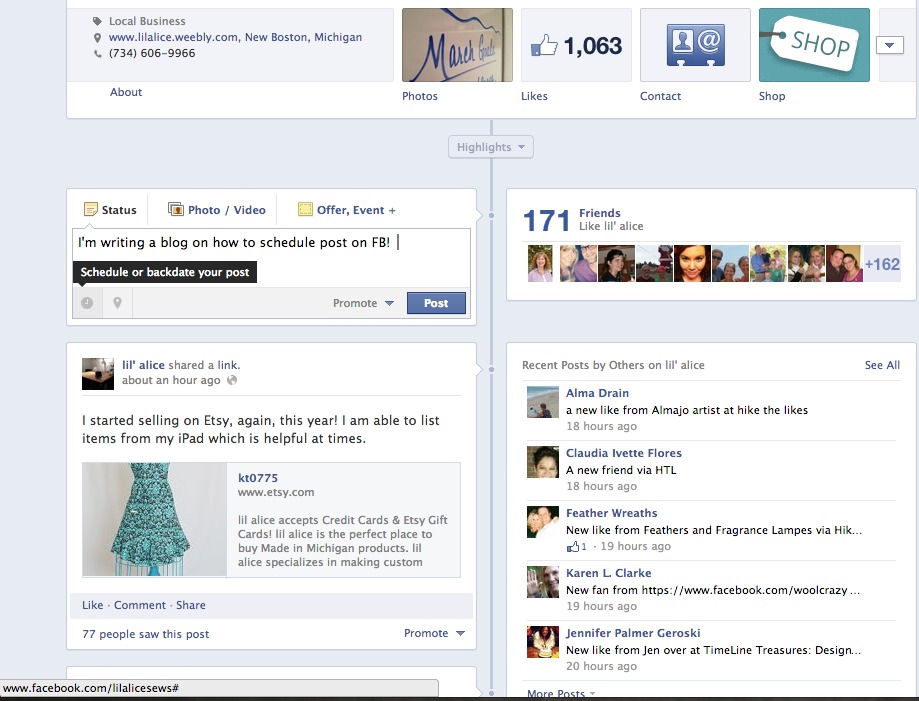
On your FB page in your status box, there is a clock icon. Fill in your status box. Click on the clock & begin the scheduling process.
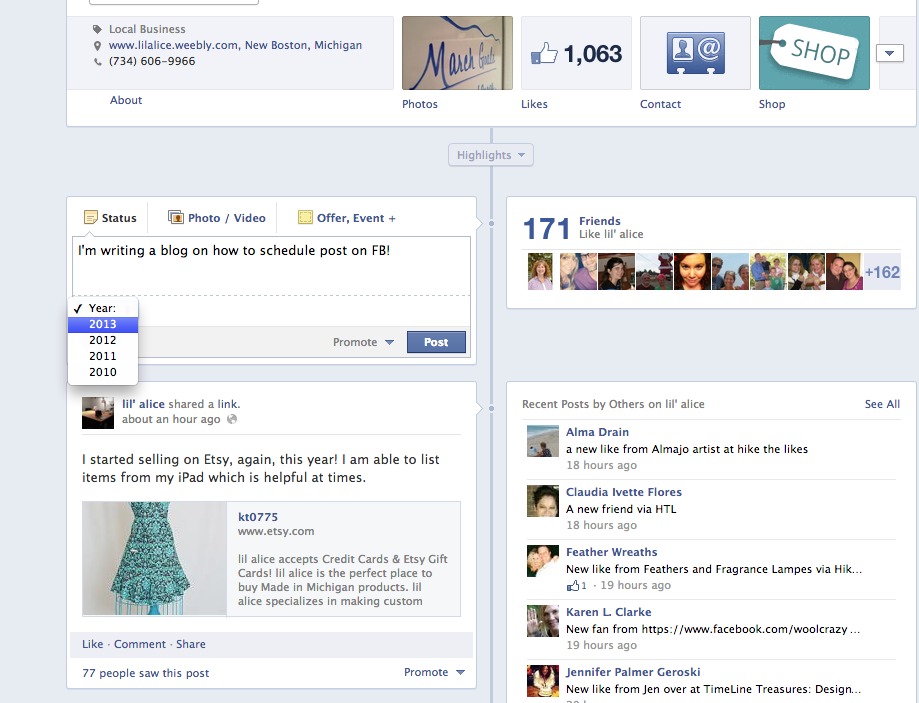
First, pick the year.
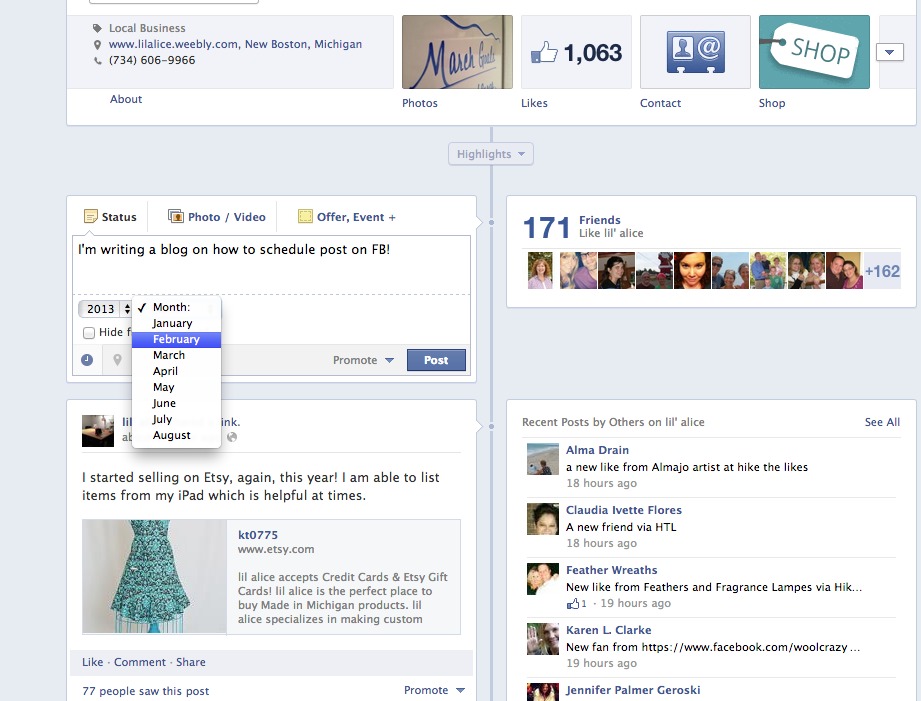
Next the month.
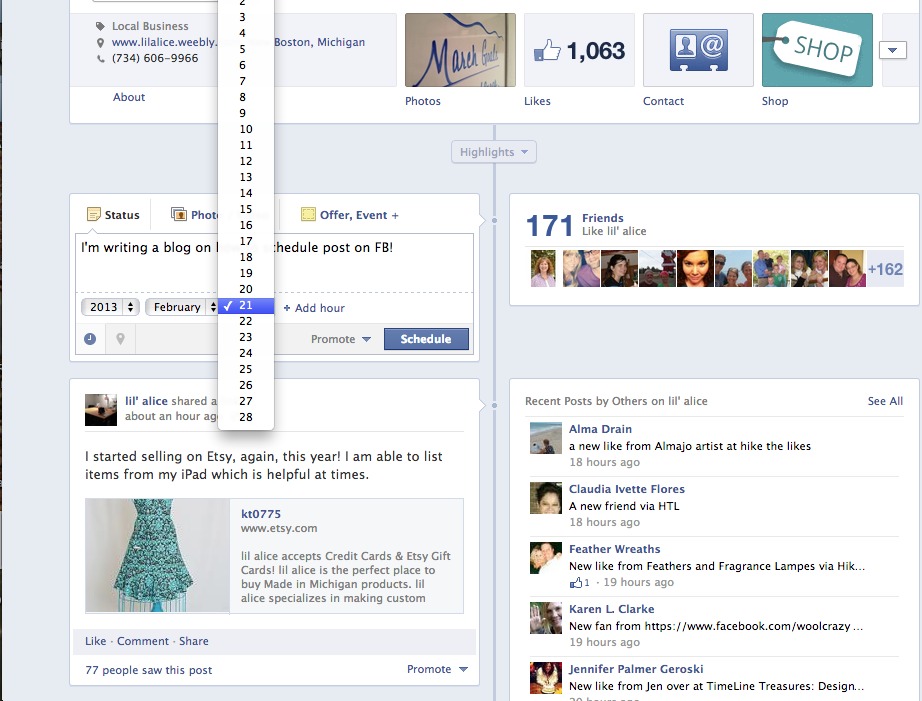
Fill in the date. It's not just for the current date, you can fill it in for days to come!
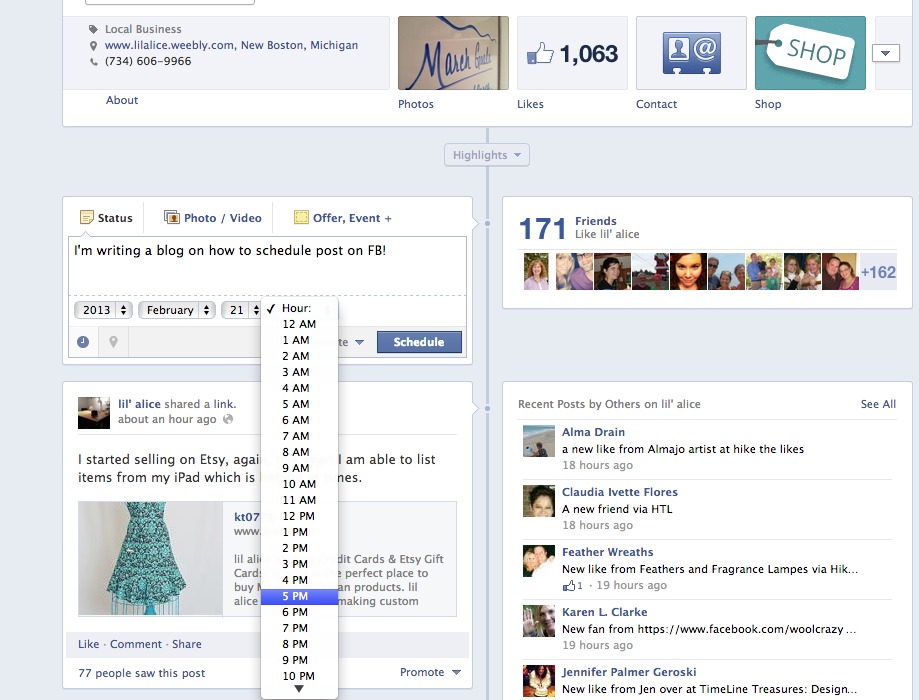
Following the date is the hour.
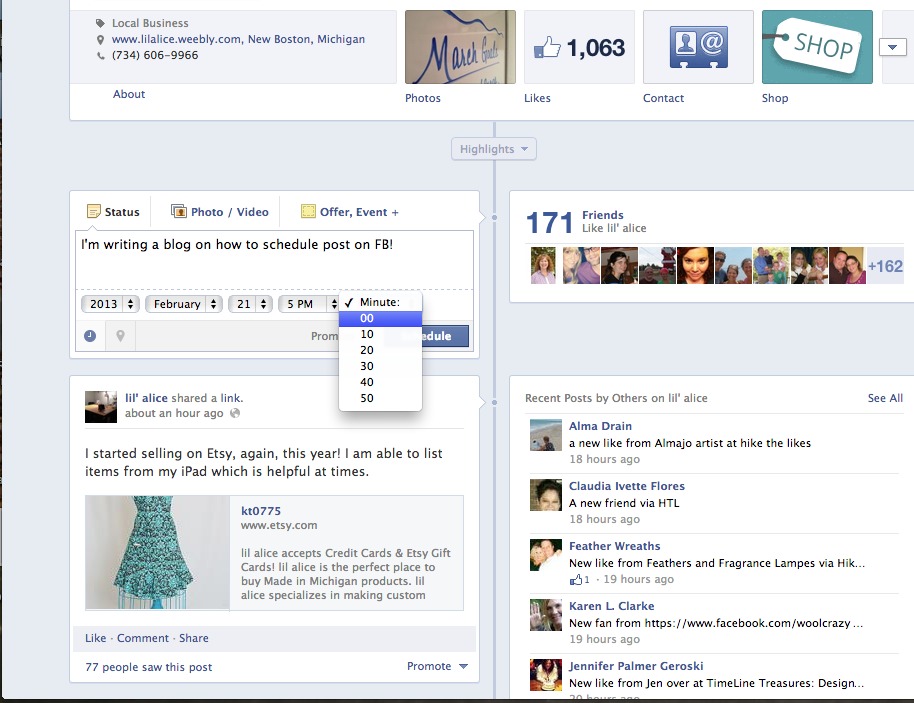
And after the hour, the minute. Once everything is filled in, click schedule. There is an activity log that will pop up after each schedule post is complete. You can click on this and see all your scheduled posts!


 RSS Feed
